Shopify Wishlist Apps With Price-Drop Alerts: How They Work
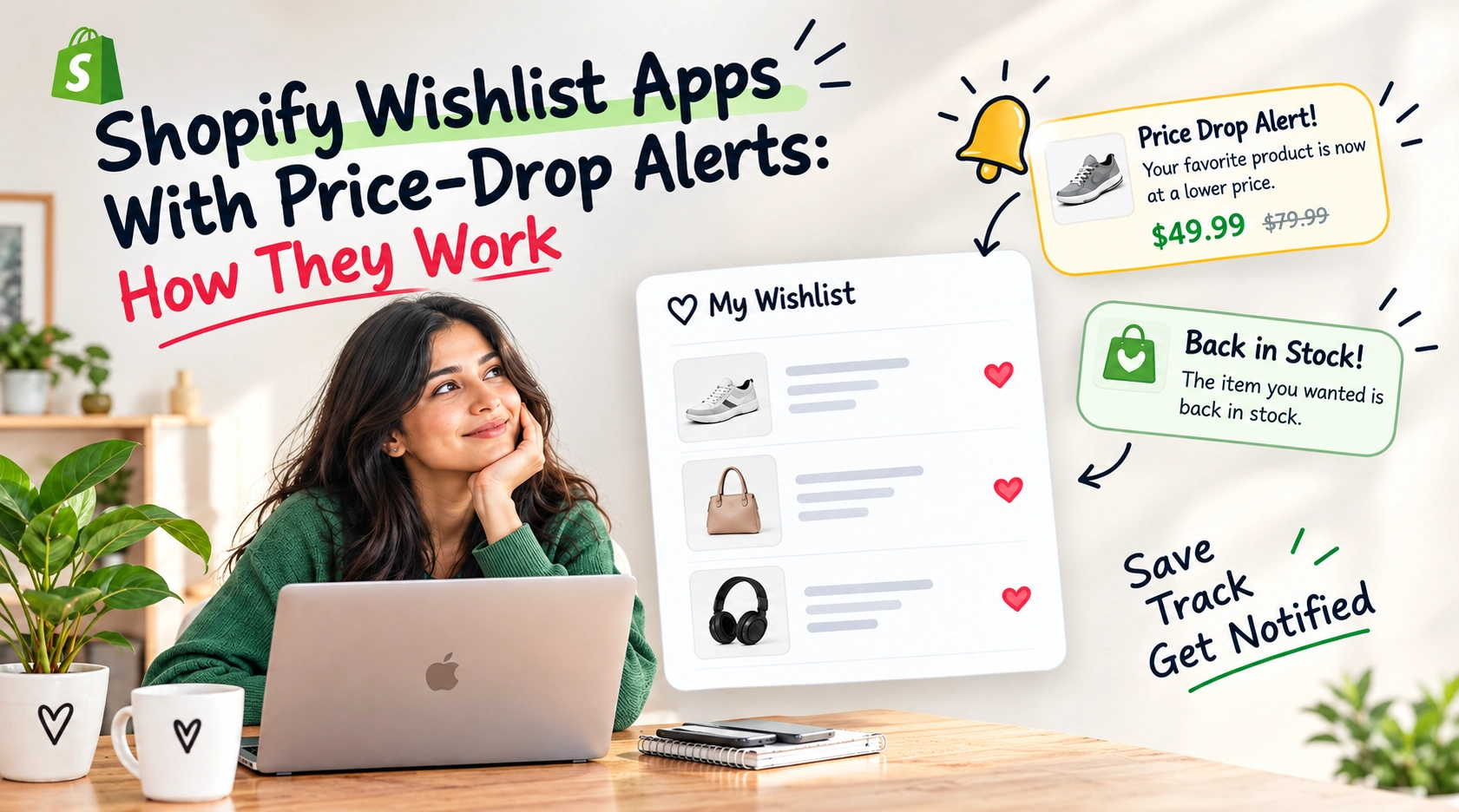
Not every shopper is ready to buy the moment they discover a product they like.
They may be waiting for a better price, comparing similar products, planning their budget, or simply deciding whether they really need the item. Instead of losing that shopper completely, a wishlist gives them an easy way to save the product and come back later.
But a wishlist becomes even more useful when it can notify customers when the price changes.
Shopify wishlist apps with price-drop alerts combine these two ideas: customers save products they are interested in, and the store can notify them when those products become cheaper. This creates a simple way to keep shoppers connected with products they have already shown interest in.
Shopify’s App Store currently includes many wishlist apps that offer price-alert functionality, showing that price notifications have become a common feature within wishlist solutions.
So, how does a wishlist price-drop alert actually work?
What Is a Shopify Wishlist With Price-Drop Alerts?
A Shopify wishlist allows shoppers to save products they may want to purchase later instead of adding them directly to their cart.
For example, a customer visits an online clothing store and finds a jacket they like. They are interested in buying it, but the current price is higher than they want to pay.
Rather than leaving the product behind, they click Add to Wishlist.
If the wishlist app supports price-drop alerts, the customer can then receive a notification when the store reduces the product’s price.
The customer receives an alert informing them that the product they saved is now available at a lower price.
This removes the need for the shopper to repeatedly return to the store and manually check whether the price has changed.

How Do Price-Drop Alerts Work?
The process is fairly straightforward from the shopper’s perspective.
1. The Customer Finds a Product
A shopper visits your Shopify store and finds a product they’re interested in. They may not be ready to make a purchase right away, but they also don’t want to lose track of something they like.
2. They Add the Product to Their Wishlist
When a customer clicks the wishlist button, the product is saved to their wishlist for later. Depending on the app, customers may be able to create and manage wishlists through their accounts or, in some cases, save products as guest shoppers. Some Shopify wishlist apps also let customers add products directly from collection pages, search results, or product pages.
3. The App Keeps Track of the Saved Product
The wishlist app records when a shopper saves a product, creating a connection between the customer and the product they’re interested in.
For example:
Customer A → Saved Product X
The store can then use this information to send relevant updates, such as price drops, back-in-stock notifications, or product reminders, to customers who have saved the product.
4. The Product Price Changes
Later, the merchant changes the product price. For example, a product that was originally priced at $120 is reduced to $100. The wishlist system detects the price change and identifies the customers who have saved that product to their wishlist.
5. The Customer Receives an Alert
- Product name
- Previous price
- New price
- Discount or savings
- Product image
- Link to the product page
Why Do Shoppers Use Price-Drop Alerts?
Price is often an important part of the buying decision.
A shopper may genuinely want a product but decide not to purchase it because the current price is outside their budget. Instead of forgetting about the product or abandoning it completely, they can save it to their wishlist and wait for a better price. Price-drop alerts make this process easier by notifying shoppers when the product becomes more affordable.
They Don't Have to Keep Checking
Without an alert, customers have to remember the product and regularly return to the store to check whether the price has changed. Most shoppers are unlikely to do this consistently. A notification removes that extra effort by letting customers know when the product they saved is available at a lower price.
They Can Wait for a Better Deal
Some customers naturally prefer to purchase products during sales or promotions. A price-drop alert gives them a reason to save a product now rather than leave the store and potentially forget about it.
It Helps With Planned Purchases
Not every purchase is spontaneous. Customers may save clothing, electronics, home products, gifts, or other items and wait until they are financially ready to buy. A wishlist gives them a convenient place to keep those products until the right time or opportunity comes along.
Why Are Price-Drop Alerts Useful for Shopify Stores?
The benefit isn’t only for shoppers.
For merchants, wishlist activity can reveal which products customers are interested in—even when those customers haven’t purchased yet.
Imagine a product has:
- 500 wishlist additions
- 30 purchases
- A high number of repeat visits
That product is attracting strong customer interest.
If its price is reduced, notifying the shoppers who already saved it gives the store an opportunity to reconnect with an audience that has already expressed interest.
This is different from sending a generic promotion to an entire email list.
Instead of saying:
“Check out our latest sale.”
the store can send something more relevant:
“A product you saved is now on sale.”
That difference matters because the customer already knows the product.
Wishlist Reminder vs. Price-Drop Alert
These two features may sound similar, but they serve different purposes.
Wishlist Reminder
A reminder encourages the customer to revisit a product they previously saved.
For example:
“Still thinking about this product?”
The price may not have changed.
Price-Drop Alert
A price-drop alert is triggered by a change in price.
For example:
“The product you saved is now 20% off.”
The second message provides a specific reason for the customer to return.
That makes price-drop alerts particularly useful during sales campaigns and promotional periods.
What Makes a Good Price-Drop Notification?
A price-drop alert doesn’t need to be complicated.
The important thing is to make the benefit immediately clear.
A useful notification should tell the customer:
What changed?
The price has gone down.
Which product?
Show the product they saved.
How much did it change?
Mention the new price or amount saved.
What should they do next?
Provide a clear link back to the product..
Price-Drop Alerts Can Bring Back Interested Shoppers
One of the biggest challenges in ecommerce is getting customers to return after their first visit. A shopper may browse several products, add one to their wishlist, and leave without making a purchase. That doesn’t necessarily mean they’ve lost interest. They may simply be waiting for the right time or a better reason to buy.
A price-drop notification can provide that reason.
Instead of trying to convince a completely new visitor to make a purchase, merchants can reconnect with shoppers who have already shown interest in a specific product. When the price drops, a timely notification reminds them about the item they saved and gives them a reason to return to the store.
This makes wishlist data valuable not just for saving products, but also for understanding customer interest and creating opportunities to bring shoppers back.
What Should Shopify Merchants Look for in a Wishlist App?
Not every wishlist app offers the same features.
If price-drop alerts are important to your store, look for an app that supports the features you actually need.
Price-Drop Notifications
This is the most important feature if your goal is to notify shoppers when saved products become cheaper.
Guest Wishlists
Some shoppers don’t want to create an account before saving products.
Guest wishlist support can reduce friction and allow more visitors to use the feature.
Email Notifications
Check how the app handles notifications and whether emails can be customized to match your store’s branding.
Back-in-Stock Alerts
Price isn’t the only reason customers wait.
A shopper may save a product because it is currently unavailable. Back-in-stock notifications can bring that customer back when inventory returns.
Wishlist Analytics
Analytics can help merchants understand which products are being saved most frequently.
This can reveal customer interest that isn’t always visible through sales data alone.
Theme Customization
The wishlist button should feel like part of your Shopify store rather than an unrelated element added by a third-party app.
Customer Account Integration
For stores that use customer accounts, wishlist data can be connected to individual shoppers, making it easier to maintain saved products across visits.
How Merchants Can Use Wishlist Data
Price-drop alerts are only one possible use of wishlist activity.
Your wishlist data can also help you understand customer demand.
For example, if many shoppers save a product but few purchase it, there could be several possible reasons:
- The price may be too high.
- Customers may be waiting for a sale.
- The product may frequently go out of stock.
- Customers may be comparing alternatives.
- They may be interested but not ready to purchase.
Wishlist data doesn’t automatically tell you which reason is responsible, but it gives you another signal to consider when evaluating customer behavior.
This can be especially useful when combined with sales, inventory, and website analytics.
Are Price-Drop Alerts Worth Adding to a Shopify Store?
For stores where customers frequently compare products, wait for sales, or make considered purchases, price-drop alerts can be a useful addition.
The feature doesn’t guarantee a sale every time a notification is sent.
Instead, it creates another opportunity to reconnect with shoppers who have already expressed interest.
That is the real value of combining wishlists with price alerts.
A normal wishlist says:
“Save this product for later.”
A wishlist with price-drop alerts can also say:
“We’ll let you know when it becomes a better time to buy.”
That gives customers a reason to stay connected with your store even when they aren’t ready to purchase today.
Final Thoughts
A Shopify wishlist doesn’t have to be just a place where customers store their favorite products.
With price-drop alerts, it can become part of the customer journey between discovery and purchase.
Customers can save products they like, wait for the right price, and receive a timely reminder when that price changes. Merchants, meanwhile, can use wishlist activity to better understand product interest and create more relevant opportunities to bring shoppers back.
The key is to make the experience useful rather than intrusive.
Give customers an easy way to save products. Keep them informed when something meaningful changes. And use the resulting wishlist data to understand what shoppers are actually interested in.
When done well, a wishlist doesn’t just help customers remember what they want.
It helps your store stay connected until they’re ready to buy.
People Also Ask
1. What is a Shopify wishlist app with price-drop alerts?
A Shopify wishlist app with price-drop alerts allows customers to save products they are interested in and receive a notification when the price of a saved product decreases.
2. How do price-drop alerts work on Shopify?
When a customer adds a product to their wishlist, the app keeps track of that saved item. If the product price is reduced, the app can identify the customers who saved it and send them a notification about the new price.
3. Do customers need an account to receive price-drop alerts?
It depends on the wishlist app. Some apps support guest wishlists and can collect an email address for notifications, while others may require customers to log in or create an account.
4. What information is included in a price-drop notification?
A price-drop notification can include the product name, product image, previous price, new price, discount amount, and a link that takes the customer back to the product page.
5. Can Shopify wishlist apps send email price-drop notifications?
Yes. Many Shopify wishlist apps support email notifications for price changes. The exact notification options and customization features depend on the app.
6. Why are price-drop alerts useful for Shopify stores?
Price-drop alerts give merchants a way to reconnect with shoppers who have already shown interest in a product. Instead of sending a general promotion, the store can notify customers about a specific product they previously saved.
7. Can wishlist apps also send back-in-stock alerts?
Yes. Some wishlist apps support both price-drop and back-in-stock alerts, allowing customers to be notified when a saved product becomes available again.
8. Can merchants see which products customers add to their wishlists?
Some wishlist apps provide analytics that show wishlist activity, such as frequently saved products and overall wishlist engagement. These insights can help merchants understand customer interest.
9. Do price-drop alerts guarantee more sales?
No. Price-drop alerts cannot guarantee a purchase, but they can create another opportunity to bring interested shoppers back to the store when the price becomes more attractive.
10. What should I look for in a Shopify wishlist app?
Look for features that match your store’s needs, such as price-drop alerts, guest wishlists, email notifications, back-in-stock alerts, wishlist analytics, customer account support, and easy theme customization.

About The Author
Akshita Dubey is an SEO Executive at eWebWorld with expertise in search intent analysis and content optimization. She focuses on creating user-centric content that simplifies complex technology topics, helping businesses and decision-makers understand web development, mobile apps, and digital solutions through clear, research-based insights.
Search
Popular Posts

Follow us

Recent Posts
About eWebWorld
eWebWorld is a Shopify and eCommerce development company in India with 10+ years of experience building and scaling online stores. We specialize in Shopify development, including store setup, customizations, theme development, migrations, integrations, and performance optimization. Through our expertise in eCommerce, technology, and digital marketing, we help businesses create better online experiences and achieve sustainable growth.